 Documentation
WB-MDM3 software and configuration
Complete device documentation WB-MDM3.
Description
Installation
Software is installed at the factory on an automated test station during production. End users do not need to install it; interaction takes place through the controller web interface.
Cost
Software is supplied free with the device.
General information
The software controls the device hardware and is an integral part of it. It is written in C.
Functions
Digital input processing:
- Contact debouncing;
- Support for latching and push buttones;
- Recognition of short, long, double and short-then-long presses;
- Pulse counting.
Output control:
- Controller commands over Modbus;
- Flexible digital-input mapping allows switches to control lighting and other loads without a controller, with different actions for different press types;
- Fail-safe configuration for loss of communication with the master:
- Leave behavior unchanged;
- Set outputs to specified states;
- Enable input control.
- Power-on output states;
- Synchronization with mains AC;
- Leading-edge or trailing-edge dimming;
- Logarithmic or proportional brightness curve;
- Switching mode;
- Overcurrent and overtemperature protection;
- Smooth fade-in and fade-out.
LED control:
- S — green status LED, flashes during Modbus communication;
- 1–3 — red output-state LEDs, with brightness proportional to output brightness.
Modbus RTU communication:
- RS-485 connection with Fast Modbus support for immediate event delivery;
- Configuration through the Wiren Board controller web interface;
- Firmware updates over Modbus to fix issues or add functions.
Software component functions
Bootloader
- Device firmware updates;
- Communication settings reset when the current settings are unknown.
Firmware
- Bidirectional Modbus RTU communication with the master;
- Hardware interaction:
- Input signal processing;
- Output control synchronized with mains AC;
- LED control;
- Writing and storing settings in device memory.
Configuration
wb-mqtt-serial driver
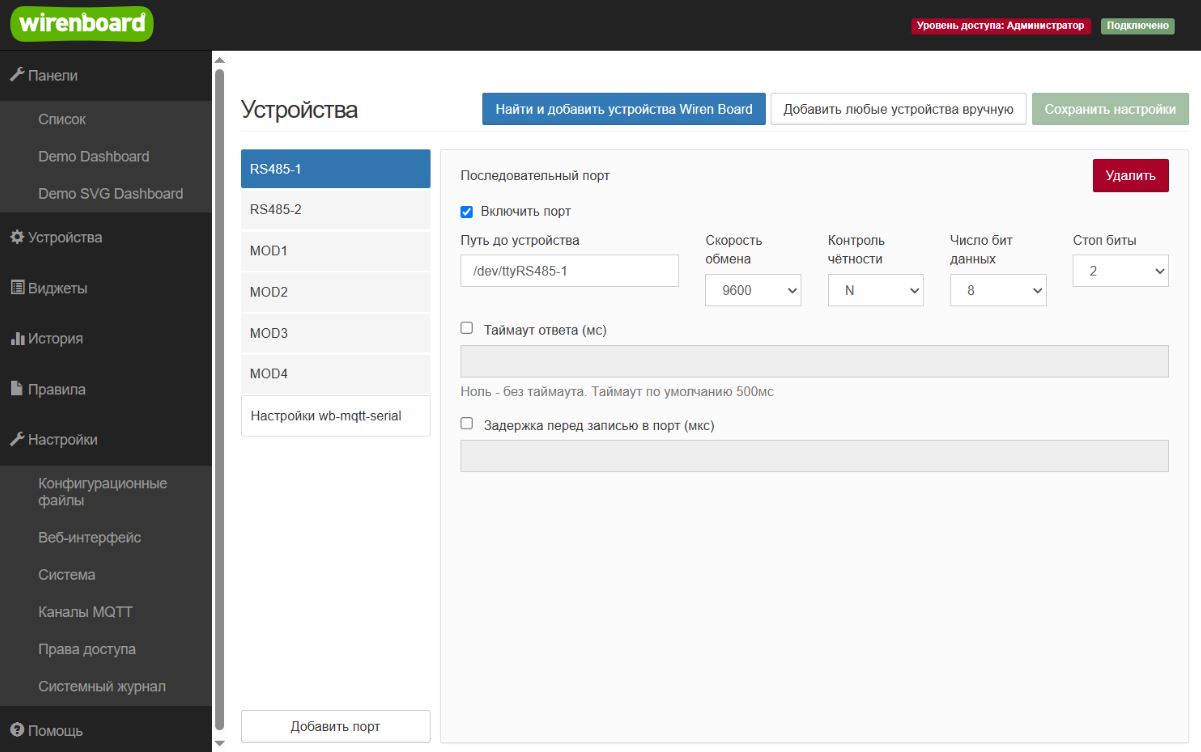
The wb-mqtt-serial driver configures the device through the controller web interface. Its configuration tool is under Settings → Configs → Serial device driver configuration, available only in administrator mode.
Scanning for Wiren Board devices
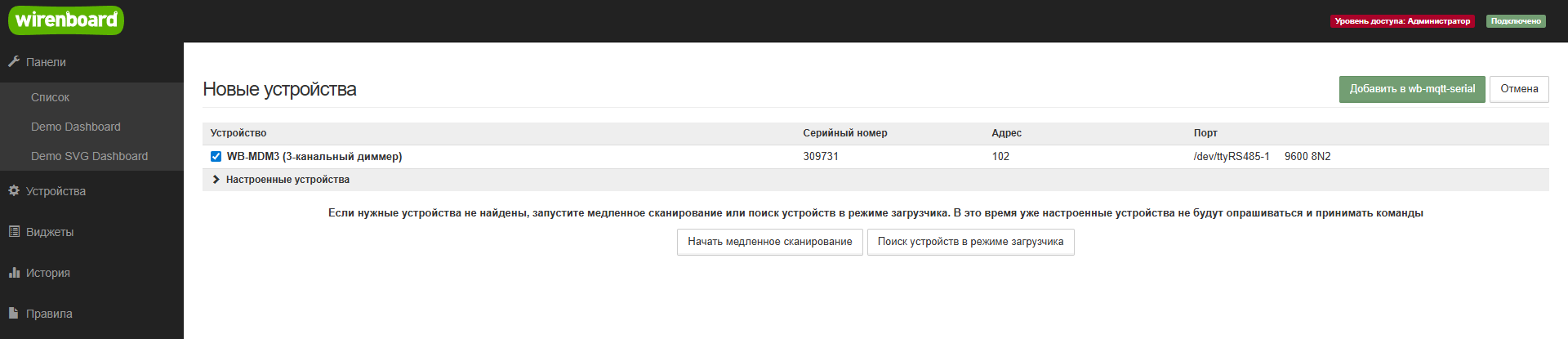
Find and add Wiren Board devices scans devices connected to RS-485 ports. A discovered device can then be added to wb-mqtt-serial.
Device configuration
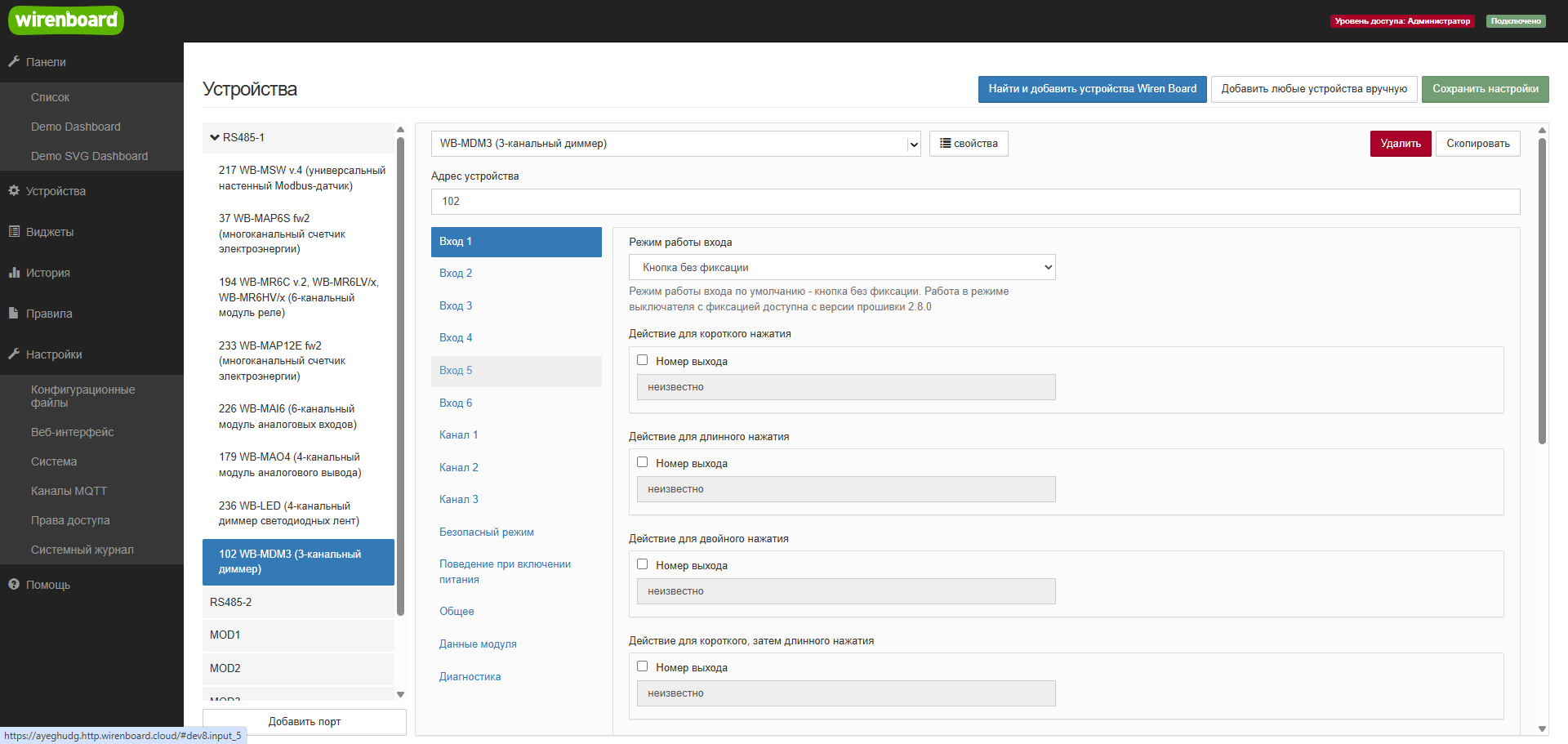
In wb-mqtt-serial configuration, enable polling of readable parameters and set writable parameters. Parameters are grouped into:
- Inputs 1–6;
- Channels 1–3;
- Safety Mode;
- Power-on behavior;
- General;
- Module data;
- Diagnostics.
Input-mode configuration:
- Momentary button — flexible output actions for the corresponding button input, with recognition of different press types;
- Latching switch — flexible output actions for the corresponding switch input.
Channel configuration:
- LED or incandescent lamp (logarithmic brightness curve);
- Resistive load (linear brightness curve);
- Switching mode.
-
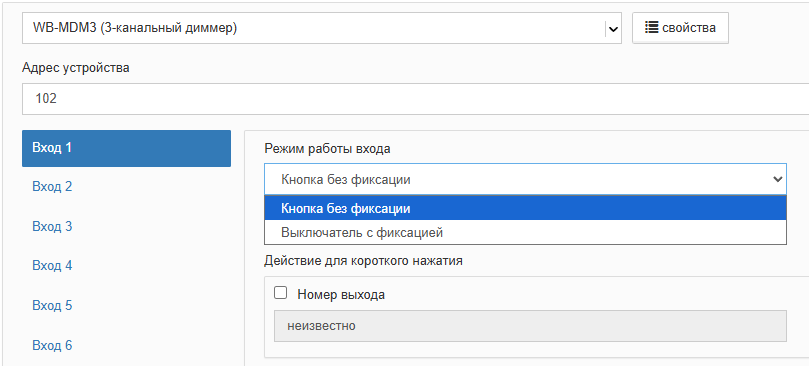 Input modes
-
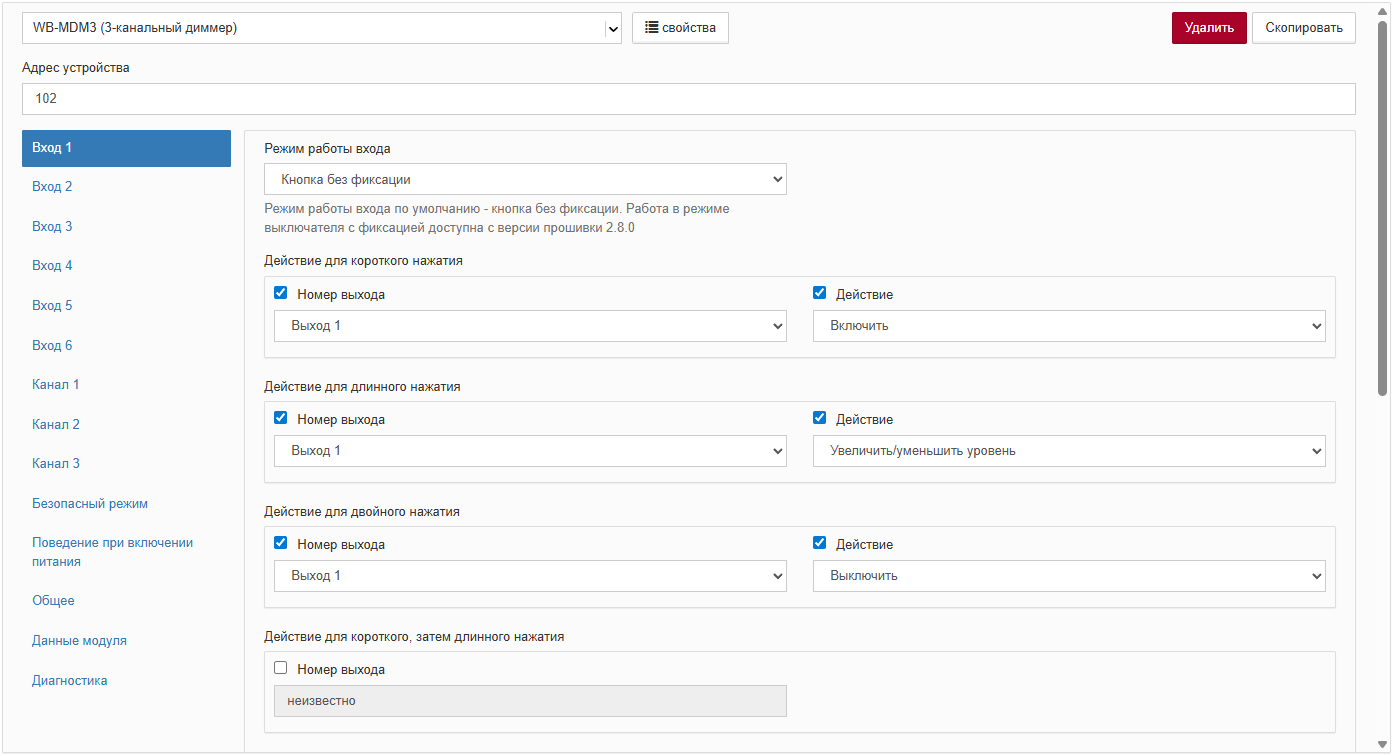 Example configuration of Input 1 to control Channel 1
-
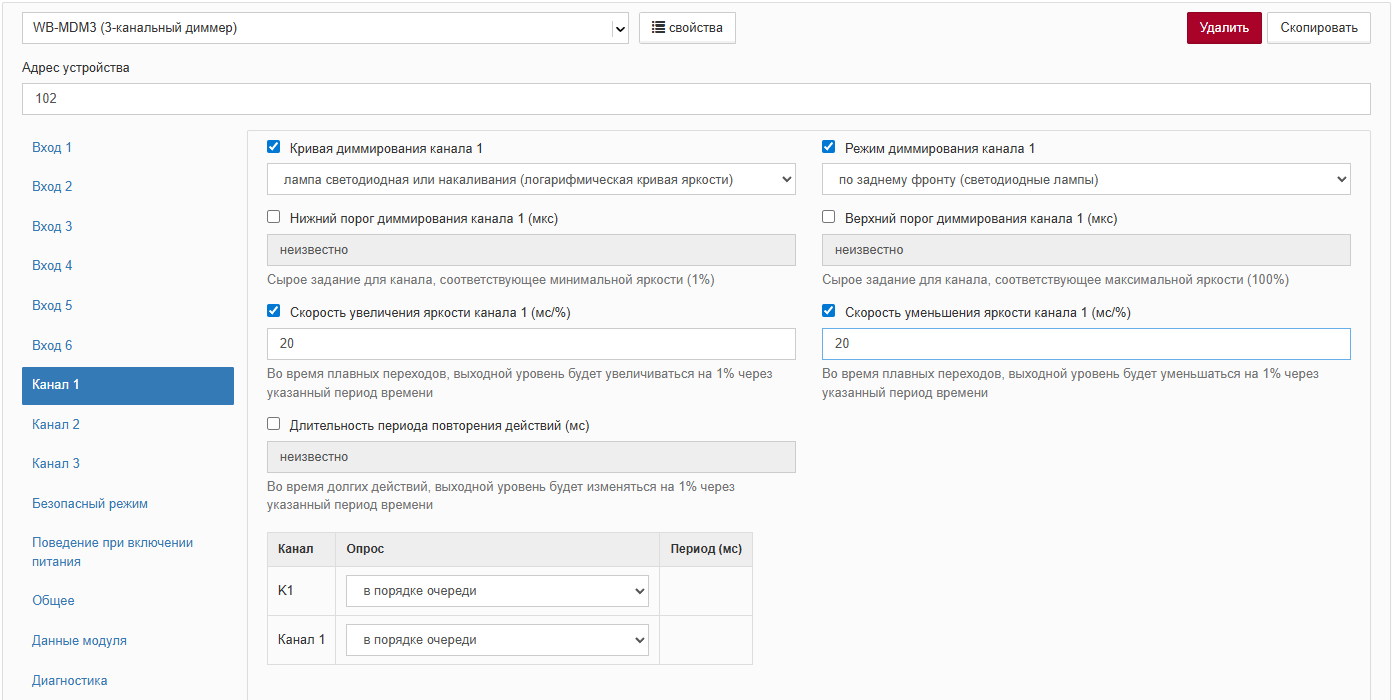 Example configuration of Channel 1 for lighting brightness control
Viewing current parameter values
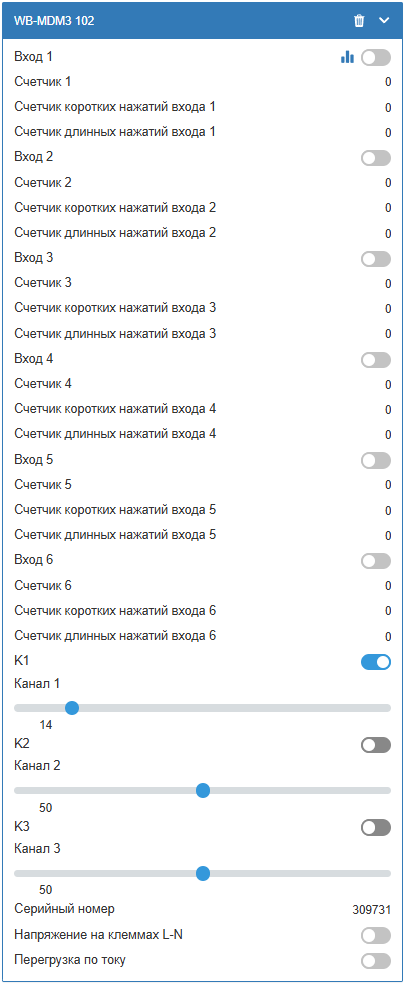
After Save settings, WB-MDM3 appears on the Devices tab, where digital-input states and press counters can be viewed and outputs controlled.
Software updates


The software is continually improved, and the web interface includes a firmware-update tool in the wb-mqtt-serial configurator. When new firmware is available, an update prompt appears automatically.