 Documentation
Reference · English
Updating Zigbee module firmware
The module is shipped with firmware installed and is ready to use. Reflash it only when necessary. Flashing may prevent the Zigbee2MQTT network from starting, requiring you to pair the devices again.
Automatic flashing
The controller must be connected to the internet.
- Connect to the controller console over SSH.
- Install the flashing utility:
apt update && apt install wb-cc2652p-flasher
- Stop zigbee2mqtt:
systemctl stop zigbee2mqtt
- Run the flashing command. Here, 4 is the slot number (/dev/ttyMODx); the -latest flag makes the utility download the latest firmware release automatically:
wb-cc2652p-flasher 4 -latest
- Start zigbee2mqtt:
systemctl start zigbee2mqtt
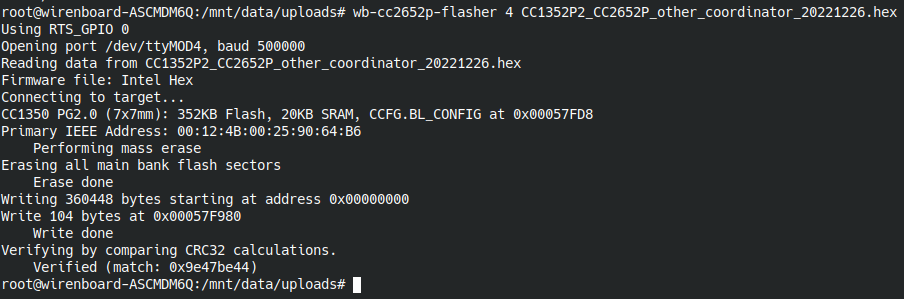
Example of successful flashing:
root@wirenboard-A3PNUJUV:~# wb-cc2652p-flasher 1 -latest
Fetching latest release information...
Downloading firmware: CC1352P2_CC2652P_launchpad_coordinator_20250321.zip
  % Total    % Received % Xferd  Average Speed   Time    Time     Time  Current
                                 Dload  Upload   Total   Spent    Left  Speed
  0     0    0     0    0     0      0      0 --:--:-- --:--:-- --:--:--     0
100  208k  100  208k    0     0   196k      0  0:00:01  0:00:01 --:--:-- 2295k
Firmware extracted to: /tmp/tmp.eHGUd7agQl/CC1352P2_CC2652P_launchpad_coordinato                                                                                                                                                             r_20250321.hex
Using RTS_GPIO 7
Opening port /dev/ttyMOD1, baud 500000
Reading data from /tmp/tmp.eHGUd7agQl/CC1352P2_CC2652P_launchpad_coordinator_202                                                                                                                                                             50321.hex
Firmware file: Intel Hex
Connecting to target...
CC1350 PG2.1 (7x7mm): 352KB Flash, 20KB SRAM, CCFG.BL_CONFIG at 0x00057FD8
Primary IEEE Address: 00:12:4B:00:31:FA:30:14
    Performing mass erase
Erasing all main bank flash sectors
    Erase done
Writing 360448 bytes starting at address 0x00000000
Write 104 bytes at 0x00057F980
    Write done
Verifying by comparing CRC32 calculations.
    Verified (match: 0x4be73e9b)
Manual flashing
- From the releases in the repository, download the firmware archive whose filename begins with CC1352P2_CC2652P_launchpad_coordinator_********.zip and extract it.
- Copy the firmware file to any directory on the controller over instructions, for example to
/mnt/data. - Connect to the controller console over SSH.
- Install the flashing utility:
apt update && apt install wb-cc2652p-flasher
- Stop zigbee2mqtt:
systemctl stop zigbee2mqtt
- Run the flashing command. Here, 4 is the slot number (/dev/ttyMODx), and the hex file is the module firmware stored in
/mnt/data/:wb-cc2652p-flasher 4 /mnt/data/CC1352P2_CC2652P_launchpad_coordinator_20240710.hex
- Start zigbee2mqtt:
systemctl start zigbee2mqtt
Example of successful flashing:
# systemctl stop zigbee2mqtt
# wb-cc2652p-flasher 4 /mnt/data/CC1352P2_CC2652P_launchpad_coordinator_20240710.hex
Using RTS_GPIO 0
Opening port /dev/ttyMOD4, baud 500000
Reading data from /mnt/data/uploads/CC1352P2_CC2652P_launchpad_coordinator_20240710.hex
Firmware file: Intel Hex
Connecting to target...
CC1350 PG2.0 (7x7mm): 352KB Flash, 20KB SRAM, CCFG.BL_CONFIG at 0x00057FD8
Primary IEEE Address: 00:12:4B:00:25:90:64:B6
    Performing mass erase
Erasing all main bank flash sectors
    Erase done
Writing 360448 bytes starting at address 0x00000000
Write 104 bytes at 0x00057F988
    Write done
Verifying by comparing CRC32 calculations.
    Verified (match: 0xc6786098)
# systemctl start zigbee2mqtt
For more information, see the utility repository wb-cc2652p-flasher.