 Documentation
Recording, playing and backing up IR commands
Purpose and operating principle
The IR transceiver in WB-MSW-I and WB-MIR records signals from household remote controls and replays them to control air conditioners, televisions and similar equipment. WB-MIR v.2/v.3 and WB-MSW v.3/v.4 support approximately 80 commands, depending on memory use. Except for WB-MSW v.3/v.4, the modules are intended for short-range operation, below 1 m. Position the external WB-MIR emitter directly on the controlled appliance's IR receiver.
Determine whether the remote sends individual key commands or a complete operating state. Television remotes generally send individual commands: power, volume, channel changes or number keys. Record the buttons you need; a short sequence such as selecting channel 13 can also be recorded. Air-conditioner remotes commonly send the complete selected mode, sometimes with power state sent separately. Set the desired mode, aim the remote at the receiver, then change a parameter such as temperature to transmit it. Record separate states such as off, cooling to 22 °C at maximum fan speed, cooling to 20 °C at low fan speed, or heating to 27 °C at medium speed.
Recording consumes ROM endurance. Each cell can be rewritten no more than 1000 times.
Recording and playback in the web interface
- Open the device widget on the Devices tab.
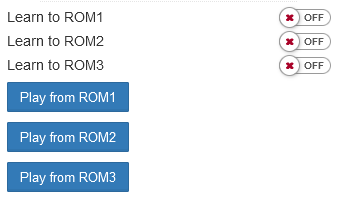
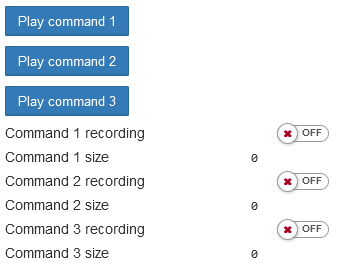
- Set Learn to ROMx / Command x recording to ON.
- Aim the remote at the receiver from close range and briefly press the required button once. If recording fails, remove interference from fluorescent lighting, phone displays, monitors or televisions.
- Set the recording switch to OFF to finish.
- Use Play from ROMx / Play command x to replay the command.
If a control is missing, enable it in the device settings under IR Commands.
Signal representation and storage
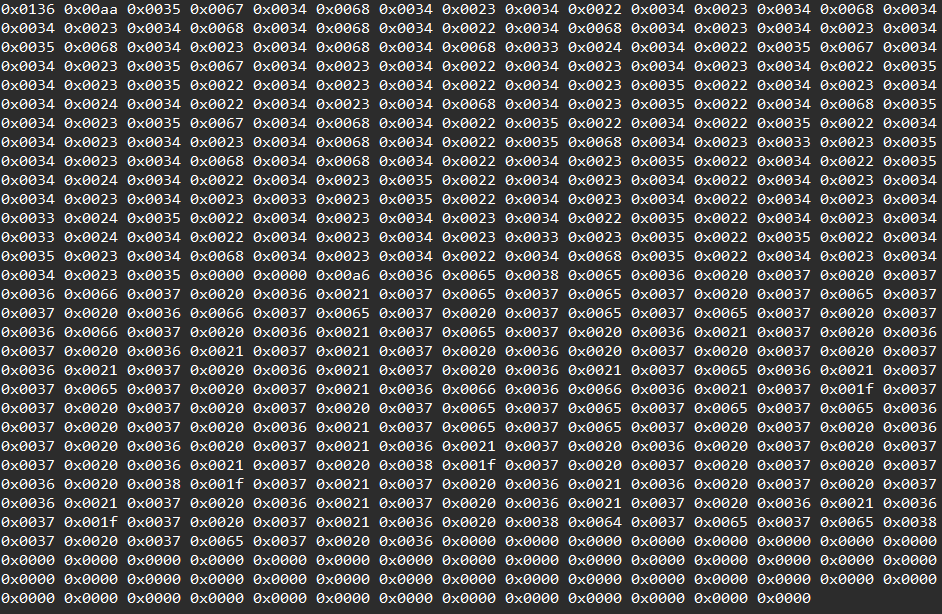
A signal is a sequence of integers from 0 to 65535. Each is the duration of a logical high or low in 10 µs units; the first value represents a high period. The maximum period is 655350 µs, approximately 0.655 s. Two consecutive zero values terminate the sequence.
From firmware 4.22.0, ROM commands are compressed and decompressed for playback. The maximum command length is 1000 words (2000 bytes). Similar durations share a dictionary entry; the dictionary is limited to 64 words, so arbitrary data cannot always be stored in ROM. After saving an edited command, reading it back may return slightly different timing values due to compression. RAM remains uncompressed and supports arbitrary data.
Modbus operation
These register addresses apply from firmware 3.2.0. Older firmware uses shifted addresses. Communication uses Modbus RTU over RS-485. The factory address is printed on the side label and is configurable; serial settings are configurable from firmware 3.1.0. See Modbus communication.
Only one operation on one signal can run at a time. Its coil is 1 while active and returns to 0 when complete. Starting another IR operation while one is active produces BUSY.
ROM commands survive power cycling, with one command per memory bank. Firmware through 3.7.2 had seven banks; from 4.4.0, 32 banks were supported. Intermediate versions attempted up to 80 commands but could store them incorrectly. Firmware 4.22.0 restores support for up to 80 commands.
Learn a command into ROM
For bank i, write 1 to coil 5300+i, aim the remote, briefly press the required key once, then immediately write 0 to the same coil to finish. Example for bank 1, address 16, port /dev/ttyRS485-1:
modbus_client --debug -mrtu -b9600 -s2 -pnone /dev/ttyRS485-1 -a16 -t5 -r5301 1
# Aim the remote and press its button once.
modbus_client --debug -mrtu -b9600 -s2 -pnone /dev/ttyRS485-1 -a16 -t5 -r5301 0
Play a ROM command
Write 1 to coil 5100+i. It remains 1 during playback and automatically returns to 0. Other IR operations are unavailable during playback.
modbus_client --debug -mrtu -b9600 -s2 -pnone /dev/ttyRS485-1 -a16 -t5 -r5101 1
Edit a ROM command
Write 1 to coil 5200+i to copy the command into consecutive holding registers starting at 2000. Two consecutive zeros mark its end; an empty bank has zeros in 2000 and 2001. Edit or upload data using WRITE_SINGLE_REGISTER or WRITE_MULTI_REGISTERS, retaining the two-zero terminator. To delete that command, write zero to both 2000 and 2001. Write 0 to coil 5200+i to finish and save. No other IR operation is available until editing ends.
Erase all ROM commands
Writing 1 to coil 5000 deletes every recorded command.
Holding-register control
For third-party Modbus masters, SCADA, OPC servers and PLCs, prefer holding registers 5500/5501/5502 over large coil ranges. Each operation uses a single address, avoiding unreliable bulk coil polling in some masters. These read/write registers are available from firmware 4.18.0 and initially contain 0, meaning ready.
- 5500: playback.
- 5501: editing.
- 5502: learning.
To operate on zero-based bank i, write i+1. During playback the register reports the selected command number, then returns to 0. A missing command returns 0xFFFF. Editing and learning work similarly: write 0 to finish, or write the next command number to move to another command.
RAM recording and playback
Write 1 to coil 5001 to learn one signal into RAM; follow the same recording sequence as for ROM and write 0 to stop. The signal appears in holding registers from 2000 and can be edited. Write 1 to coil 5002 to play it. This coil clears automatically on completion; no other IR operation is available during playback. RAM contents are lost when power is removed.
IR register map
| Start address | Type | Count | Purpose / availability |
|---|---|---|---|
| 5000 | Coil | 1 | Erase all IR command banks |
| 5001 | Coil | 1 | Learn into RAM holding registers: 2000–2509 before 4.22.0; 2000–3001 thereafter |
| 5002 | Coil | 1 | Play from the same RAM register range |
| 5100 | Coil | number_of_banks | Play from the corresponding ROM bank |
| 5200 | Coil | number_of_banks | Edit ROM command, copying ROM to RAM |
| 5300 | Coil | number_of_banks | Learn into the corresponding ROM bank |
| 5400 | Input | number_of_banks | IR command size in bytes |
| 5500 | Holding | 1 | Play from ROM; firmware 4.18.0 |
| 5501 | Holding | 1 | Edit ROM via RAM; firmware 4.18.0 |
| 5502 | Holding | 1 | Learn into ROM; firmware 4.18.0 |
| 5520 | Input | 1 | RAM command size in bytes; firmware 4.32.0, WB-MIR only |
The source lists historical bank counts of 32 for WB-MSW v.3, 40 for WB-MIR v.2 and 80 for WB-MIR v.3. From firmware 4.22.0, number_of_banks is 80. Check the installed firmware before choosing a bank.
Backing up and restoring command banks
The community scripts by pivcheg, renamed and packaged by the manufacturer, are available as ir_backup.tgz. The archive contains read_roms.pl, write_roms.pl, compare_bufs.pl, getbuffer.pl, putbuffer.pl and readme.txt. Transfer it to the controller over SSH, extract it, then enter its directory:
tar -xvzf ir_backup.tgz
cd ir_backup
By default only banks 0..4 are processed. To use ten banks, change foreach $i (0..4) to foreach $i (0..9) in the scripts. Match the baud rate and serial port in the modbus_client invocation to your connection:
modbus_client --debug -mrtu -b9600 -pnone -o 1200 -s2 /dev/ttyRS485-1 ...
For example, change -b9600 to -b115200 when needed. To save commands from Modbus address 22 into ./roms, then restore them:
./read_roms.pl ./roms 22
./write_roms.pl ./roms 22
The scripts stop wb-mqtt-serial, process the selected banks, then restart it. The write script replaces the corresponding commands with those from the files.